

Report your sales to Meta to measure ROAS
What you'll learn
- The 3 values you need from Meta's side before setting this up
- How to connect it in Parlario, and what happens automatically after
- How the sale's amount reaches Meta once you connect a Shopify store
If you invest in "Click to WhatsApp" or "Click to Instagram" ads, this feature automatically notifies your own Meta Ads Manager when a contact turned into a sale — so Meta can calculate ROAS for those campaigns. It's a Meta resource separate from your WhatsApp connection — you create it once from your own account.
For Instagram leads, Parlario uses the account you already connected under Settings → Channels → Instagram — no additional credentials needed, but if you disconnect it, those leads stop being reported (WhatsApp leads aren't affected).
What this actually does
When you run a "Click to WhatsApp" or "Click to Instagram" ad, Meta knows two things: that it showed your ad, and that someone tapped it and opened a chat. What it has no way of knowing is whether that chat ever turned into a sale — that part happens in your Inbox, where Meta can't see.
So on its own, Meta can only tell you how many conversations an ad started. It cannot tell you which ones made you money. This feature closes that gap: when a lead becomes a sale, Parlario tells Meta. From then on your Ads Manager can show ROAS — return on ad spend, meaning how much you earned for every unit you spent — instead of just a count of chats.
What sets it off
One thing only: a lead moving into a stage marked as a sale — a "Won" type stage in your Pipeline. It doesn't matter whether you dragged the card there yourself or your AI Agent moved it; the moment it lands there, Meta is told.
Nothing else reports. Not a reply, not a good conversation, not a contact who says they'll buy tomorrow. Only the stage change, because that's the moment you decided it was a sale.
And it only counts once. If you move a card between two different "sale" stages, or drop it back where it already was, Meta isn't told twice.
With a Shopify store connected, the amount goes too
Everything above reports that a sale happened. What Meta also needs, to work out return properly, is how much it was worth — and your Pipeline doesn't have that price, because a card is a conversation, not an invoice.
A Shopify order does have it. So if you connect your store, every paid order reports to Meta with the real total and its currency, and your Ads Manager can finally weigh a large sale against a small one.
Two things change on their own, and both are worth knowing.
- With a store connected, the paid order becomes the source of the sale — so moving a card into a "Won" stage stops reporting. If both reported, the same sale would be counted twice and your ROAS would come out inflated, which is worse than not having it: nobody questions a number in their favour.
- There is nothing extra to set up. It uses the same Pixel, Page and token from the steps below. Connect the store and the amount starts arriving on its own.
The amount goes out in the order's currency, unconverted, and an order of 0 — an exchange, a replacement — isn't reported as a sale. Only the paid order reports: shipping that same order doesn't report again.
Without a Shopify store connected nothing changes: the "Won" stage still reports the sale, without an amount.
Connecting a store is a lesson of its own: Connect your Shopify store.
Why some of your sales won't appear — and that's correct
Only customers who arrived by tapping one of your ads get reported.
When someone taps a Click to WhatsApp or Click to Instagram ad, Meta quietly attaches an invisible reference to that conversation — its way of remembering "this person came from that ad." Parlario keeps it and hands it back when the sale happens, which is what lets Meta match the two.
Someone who saved your number months ago, or found you through a friend, or came from your website, has no such reference. There's nothing to match, so nothing is sent — no matter how real the sale is.
That isn't a limitation to work around: it's the point. ROAS answers "what did my advertising bring back", so it should only count what the advertising actually produced. Your Pipeline still shows every sale; ROAS shows the ones your ads earned.
What it has to do with your WhatsApp and Instagram connections
This uses its own credentials, created once in your Meta account. They have nothing to do with the ones that send your messages, which is why connecting WhatsApp doesn't switch this on and setting this up doesn't touch your channels.
There is one exception worth remembering:
- WhatsApp sales are reported using the customer's phone number, which Parlario already has. Nothing else is needed, and disconnecting or reconnecting your number changes nothing here.
- Instagram sales also need to name the Instagram account the customer wrote to — and Parlario takes that from the Instagram account of that conversation. So if you disconnect that Instagram account, its sales quietly stop being reported. Your WhatsApp reporting carries on as normal.
"Quietly" is the word to note: nothing breaks and no error appears. Your Pipeline works exactly the same, the sale is still recorded — Meta simply isn't told about that one. If you ever disconnect Instagram and later notice your Instagram campaigns look less profitable than they should, this is the first thing to check.
What it does not do
- It doesn't send an amount unless you connect Shopify. On its own, Parlario tells Meta that a sale happened, not what it was worth — a Pipeline card carries no price. Connect your store and each paid order brings the real total with it (see above).
- It doesn't work backwards. Sales you closed before connecting this aren't reported retroactively.
- It never blocks anything. Without this connected, your Pipeline, your Inbox and your Agent all behave exactly as they do now. Nothing errors, nothing stops.
Create the Pixel/Dataset in Meta
Go to Meta Business Manager → Events Manager → Connect data, choose "Web" (NOT "App"), give it a recognizable name, and under "How do you want to connect?" choose "Set up Conversions API" → "Set up manually." Go straight to "Generate an Access Token," leave the recommended option selected, and copy the token — Meta won't show it again.
Find your Pixel ID
It doesn't appear on that screen — find it in your browser's address bar (the long number in
.../dataset/<THIS NUMBER>/...), or under Datasets → your dataset → Settings → Details.Find your Facebook Page ID
Different from the Pixel ID and from your WhatsApp number. Go to Meta Business Suite → Business settings → Accounts → Pages, click your Page, and the ID usually appears in the details panel under the name.
Connect it in Parlario
Go to Settings → Extensions → Meta Ads, paste your Pixel ID, your Facebook Page ID, and your access token, and click "Save connection." Parlario verifies all 3 values against Meta before saving them.
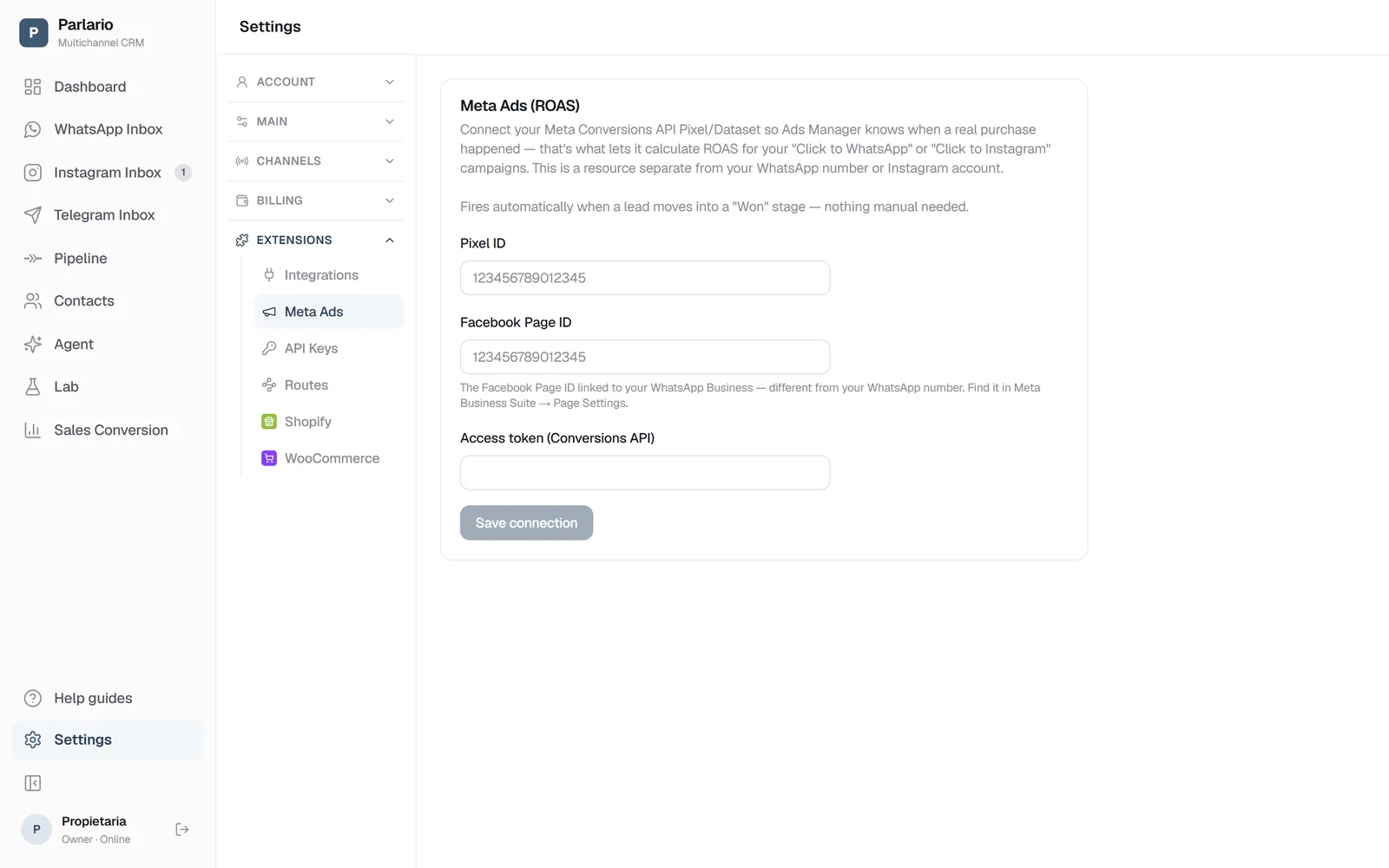
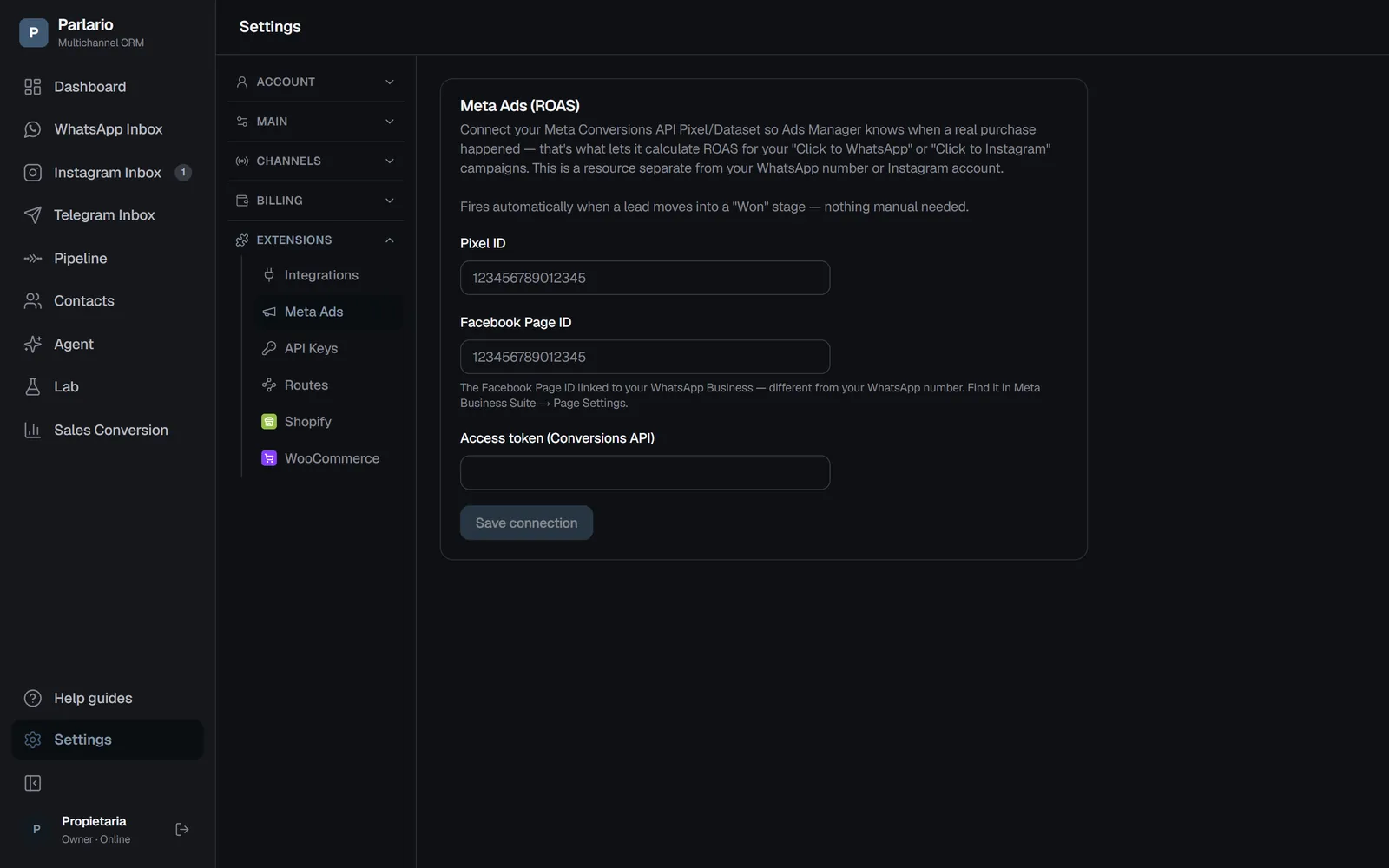
Settings → Meta Ads
With several numbers
The Meta Ads connection is one per Parlario account —one Pixel/Dataset and one Facebook Page— and covers all your numbers. WhatsApp sales are reported with that Page, whichever number closed the sale; Instagram sales, with the Instagram account of each conversation. One limit to keep in mind: if you run click-to-WhatsApp ads from two different Facebook Pages (one per brand), every sale is reported with the Page you set up here. The full details are in Several numbers and accounts.
Recap
- Once connected, there's nothing else to do: every time a lead moves into a "Won"-type stage, Parlario automatically notifies Meta — for WhatsApp or Instagram alike
- Only sales from contacts who came in through a Click to WhatsApp/Instagram ad get reported — an organic customer generates no report
- Without this connection configured, the Pipeline keeps working exactly the same — nothing blocks or errors
- Parlario tells Meta a sale happened; with a Shopify store connected, each paid order also carries the real amount — and then a "Won" stage stops reporting, so nothing is counted twice
- Only the Owner can configure or remove this connection, and it's available on the Business and Advanced plans
To unmark the lesson, select the button again.
Questions? Visit our support portal: support.parlario.co